01 · Drafting · Spring Hill
Holmes Drafting Services
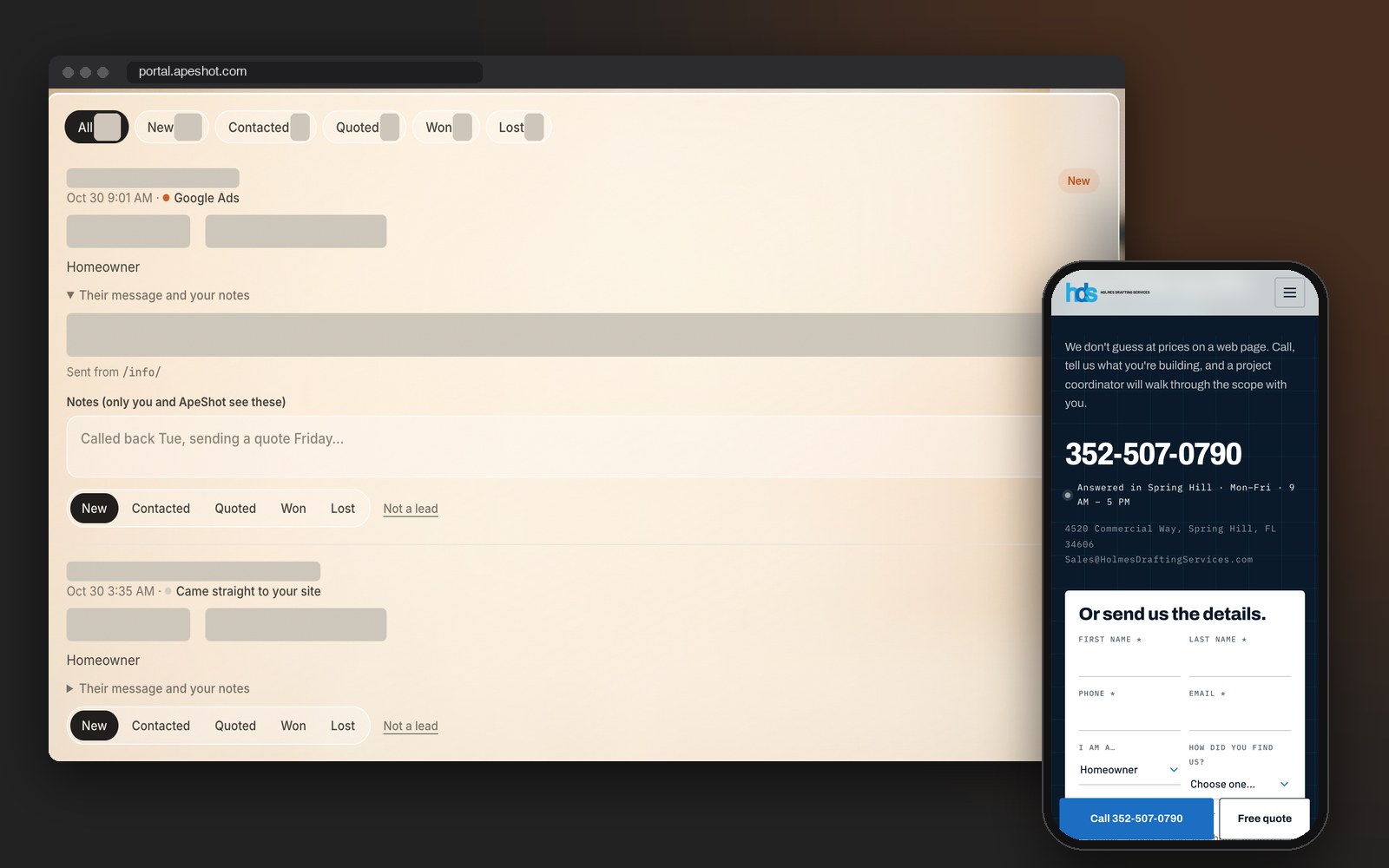
The phone shows the form on the page Holmes Drafting points its Google ads at. The laptop shows a real lead from that page on October 30, labeled Google Ads and still marked New.
What we built

Lead tracking for Spring Hill and Hernando businesses: find out which marketing brought in the job, not just the click. Every form on your website lands in one list that shows where that person came from and whether they signed.
A lead you can’t trace is a guess about your budget.
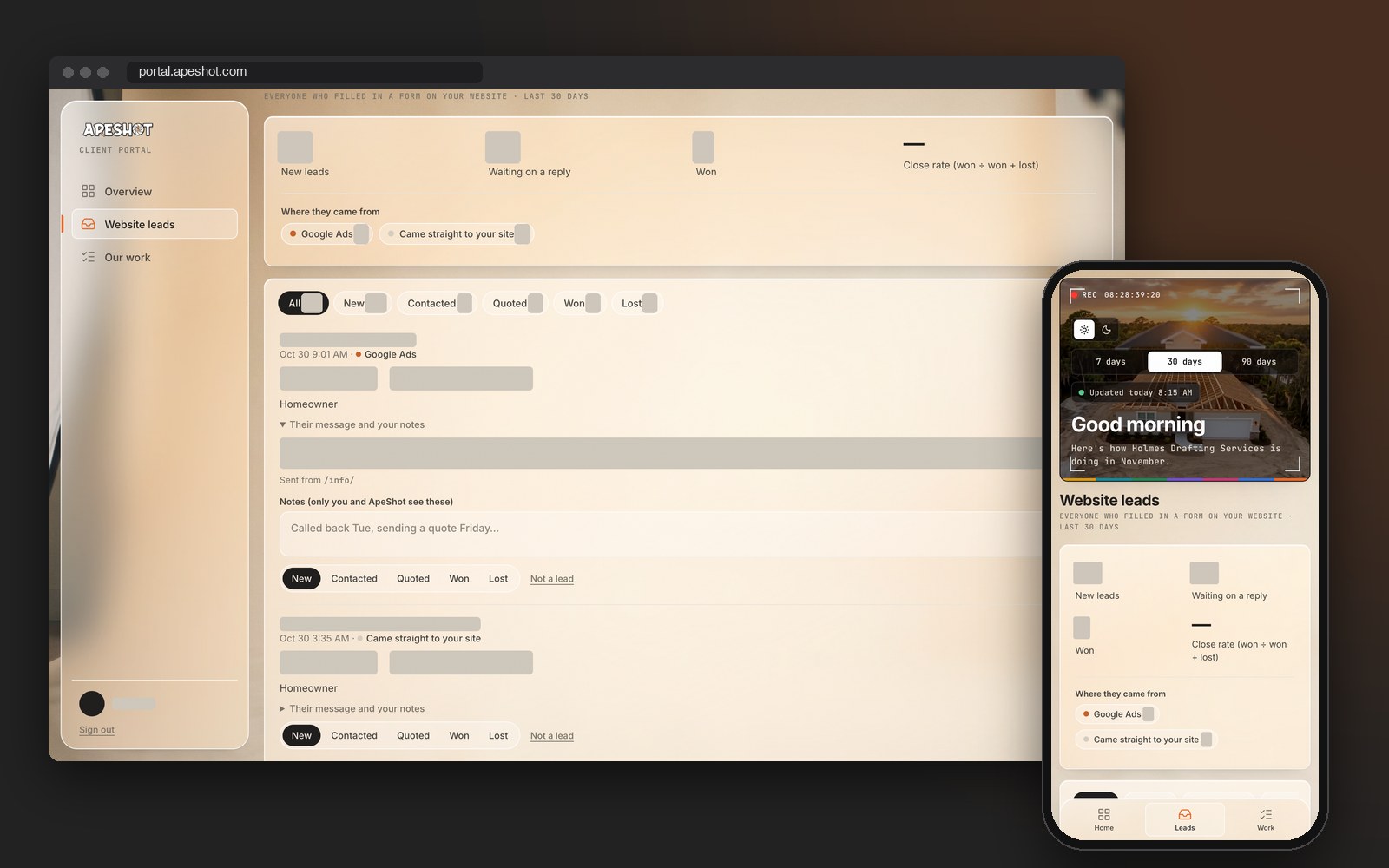
Every form, one list, and a note on each lead saying where it came from.
Talk to almost any owner around Spring Hill, Brooksville or Weeki Wachee who runs a service business and you’ll hear the same mix: a website, a Google profile, a Facebook page someone posts to when there’s time, and sometimes Facebook or Google ads on top. Each one takes money or hours. Then somebody asks which of them landed the last five signed jobs, and the room goes quiet.
Not knowing hurts in two places. The first is the budget. You can keep paying for ads that fill the inbox with tire-kickers while the free map listing quietly sends the customers who actually book. The second is the leads themselves. A form that lands in an inbox nobody opens over the weekend is a job that goes to whoever called first on Monday.
ApeShot Productions works out of 4520 Commercial Way in Spring Hill and serves owners across Hernando County and down into Hudson and New Port Richey. Most of our marketing services are channels: ads, the Google profile, reviews, local search. This page is about the piece that judges every one of them. We set up a single list where each website form lead arrives with the page it came from and how the visitor found you, and then it follows that lead until it’s won or lost.
Pick a job you signed this month. Here is what each method can tell you about it.
| How you find out | What it tells you | With one list |
|---|---|---|
| Ask the customer | Their memory of it. Most say “Google,” and that one word could mean your ad, your map listing or your website. They honestly don’t know which. | The exact page they filled the form out on and the way they really got there, kept beside whatever they told you on the call. |
| Each platform’s own report | Facebook tallies its own clicks and Google tallies its own. Both claim the same customer, so add them up and you’ve apparently done more jobs than you did. | One entry per person with one source. A customer who saw three of your ads is still counted once. |
| A separate tracking number per ad | It can work, but your number changes on every listing and ad, and the old ones live on in mailers, magnets and truck doors. We decided against it. | The number on your site, your Google profile and your truck never changes. Forms carry their source, and calls are counted where Google and your site can see them. |
Through a Google search, your listing on the map, an ad, a post on your Facebook page, or a link a neighbor texted over. However they arrive on your website, the route leaves a trace, and we hold on to it.
It might be the contact page, a service page or a page built for one ad. The customer sees the same form as before. No extra questions, no added wait.
The entry shows the page and the source: Google Ads, Google search, Facebook, another website, or typed straight in. Whatever already alerts your team keeps working, so the list never slows the callback.
Mark it contacted, then quoted, then won or lost, and jot a note like “left a voicemail Thursday.” Each change is saved with its date, so the history stays honest.
Enter what the job is worth when it’s won. Now a month of entries shows more than where forms came from. It shows which source brought in money, and that’s the number to bring to a budget talk.
Holmes Drafting Services in Spring Hill draws permit-ready plans, and its website form was already doing a lot before we touched it. A new lead reaches the sales inbox, their sales system, three company phones and the people who call back, all at the same moment. On October 22, 2026 we added one more stop on that route: the tracked list. Someone who clicked a Google ad shows up as Google Ads, and a visitor clicking from one Holmes Drafting page to another isn’t mistaken for a referral.
The phone shows the form on the page Holmes Drafting points its Google ads at. The laptop shows a real lead from that page on October 30, labeled Google Ads and still marked New.
One honest gap: someone who fills out a form inside Facebook without ever visiting the website stays in Facebook’s own list and never reaches this one.
Why it matters. In August, Holmes Drafting could count 75 signed jobs in nine weeks and credit 21 of them to ads, because every lead in their sales system had a source. This list gives a business without a sales system that same count. Read the Holmes Drafting case study for the rest.
Watch the Film
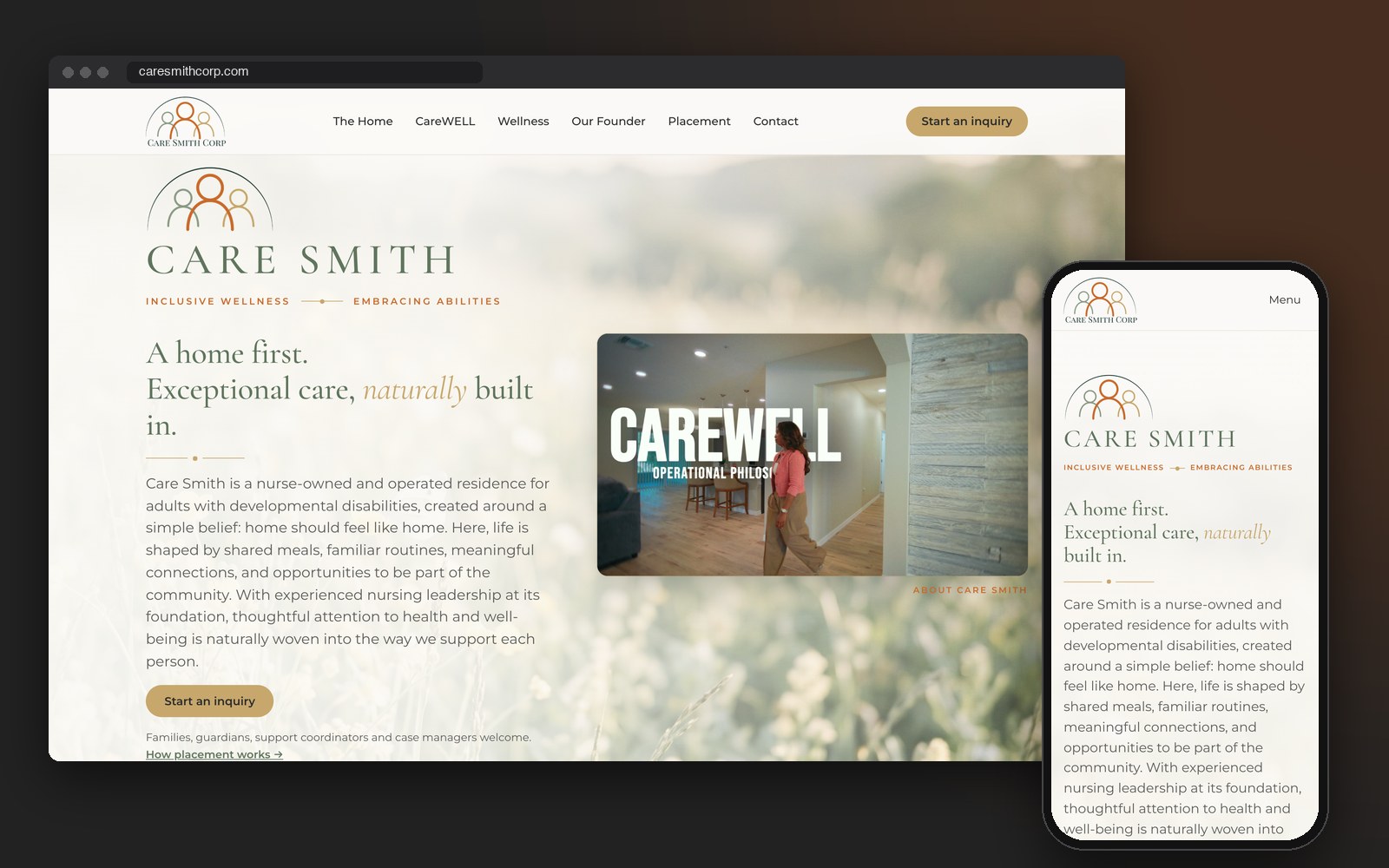
Care Smith, a nurse-owned residence in Spring Hill for adults with developmental disabilities, has sent its website inquiries into its own list since October 22, 2026, through a small add-on we put on the site. A plan-review firm in Dallas whose website we look after got the same setup that day. Two rules hold on all of them. Anything that arrived before setup reads “Before tracking started,” because we won’t invent a source we can’t prove. And if the same person sends the form again, the stage the owner already chose stays exactly where it was.
Want to see your own leads sorted by where they came from?
Quote form, contact form, the form on an ad’s landing page. They all end up together, so nobody is digging through three inboxes.
Type in what the work was worth so the list can show money by source, not just a stack of names.
Leads from before setup get that label. We never fill in a source after the fact.
If the same person writes in twice, the stage you already set is left alone.
Calls Google reports from your Google profile, and taps on your site’s call and text buttons, shown by week. Nothing is recorded.
You see your list and nobody else’s. Each website can only send leads into its own list, and we never sell or share it.
Which source brought in jobs, which one brought in lookers who never booked, and what we’d change next, in plain sentences.
All yes? You don’t need this. One no is what the free call is for.
Then every budget decision is a guess, and the biggest invoice tends to win the argument.
A lead split between a personal email and an office email is a lead that gets missed.
People who fill out three companies’ forms usually hire whoever calls back first.
The page tells you what they came for before you ever pick up the phone.
Without the amount, one large job and ten small ones look identical.
That single side-by-side ends most debates about whether to keep the ads running.
On a free 30-minute call we'll look at where your leads end up today and what it takes to put each one in a single list with its source. The call covers whether your site fits and what setup involves, and you decide from there.