
Here is one real week on a Facebook page we run, post by post. Count the work, then decide.

Most owners we talk to in Spring Hill, Brooksville and across Pasco run their own Facebook page the same way. A slow week comes, they post five times in three days, and it feels good. Then the phone fills up, the crew needs them on site, and the page sits quiet until the next slow week. Anyone who looks you up during that stretch finds a page that stopped right when your busy season started.
So the honest question isn’t whether you know how to post. You probably do. It’s whether a post still goes out on the Tuesday you’re pouring a slab in Brooksville and quoting a job in Hudson. Rather than hand you a guess about hours, this page lays out one dated week on a page we manage, every post and every small job behind it, so you can hold it up against your own week.
Holmes Drafting Services is a drafting office in Spring Hill that draws house plans for homeowners and plan sets for builders. We run its Facebook page. Below is the week of November 2, 2026: seven posts, four graphics at 9:00 in the morning and three short Reels at noon. Every graphic uses real photos and the company’s own logo.
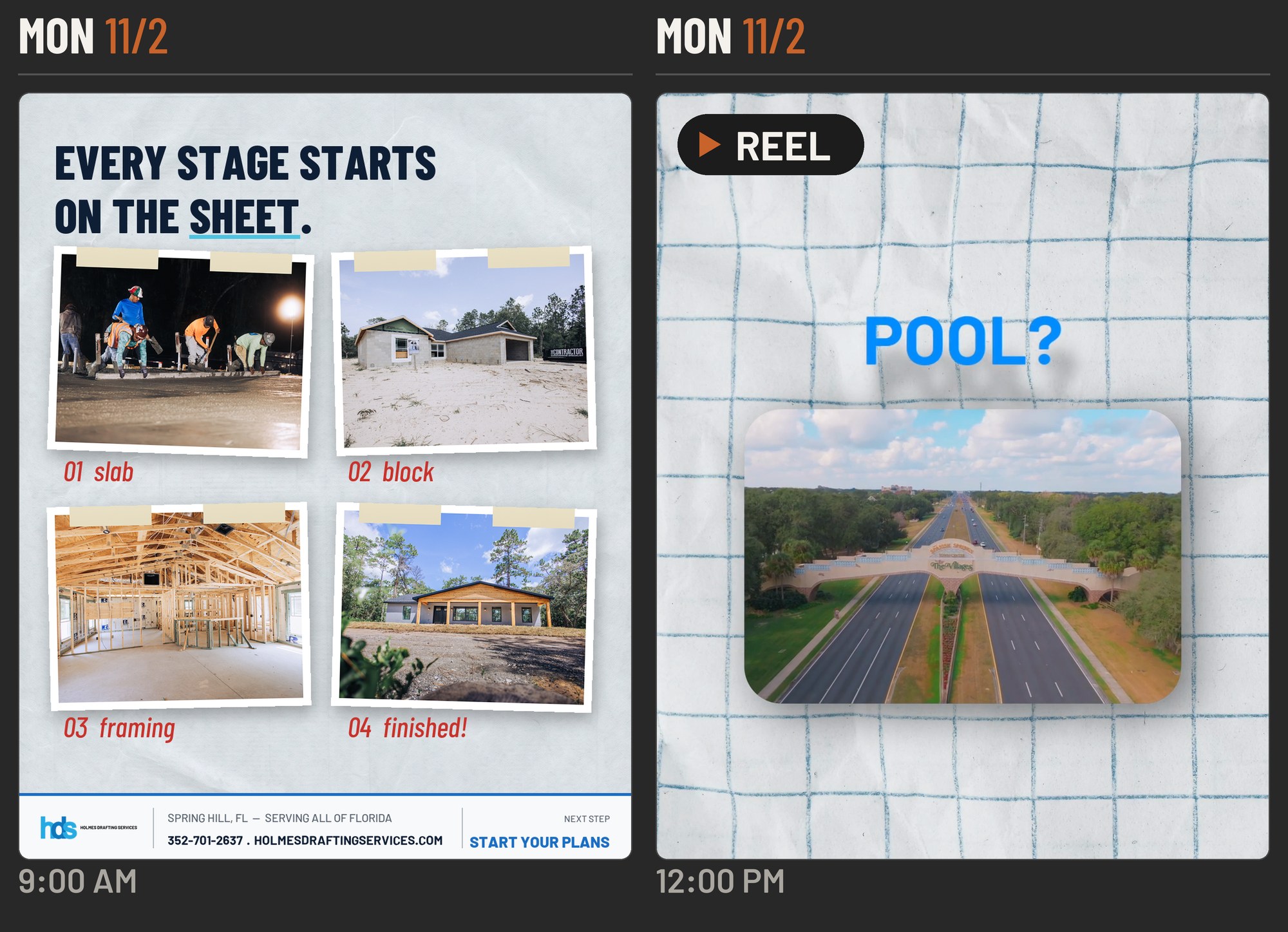
Monday. The morning graphic shows four stages of a build, slab, block, framing and finished, under the line “Every stage starts on the sheet.” Behind it: choosing four photos that read at phone size, writing a caption that opens with “Slab. Block. Framing. Finished.” and names what the office draws, and setting it to go out at 9. At noon a Reel went to people planning a lanai, garage or pool in The Villages, where a project needs the Architectural Review Committee and a county permit, and the state code changes December 31.
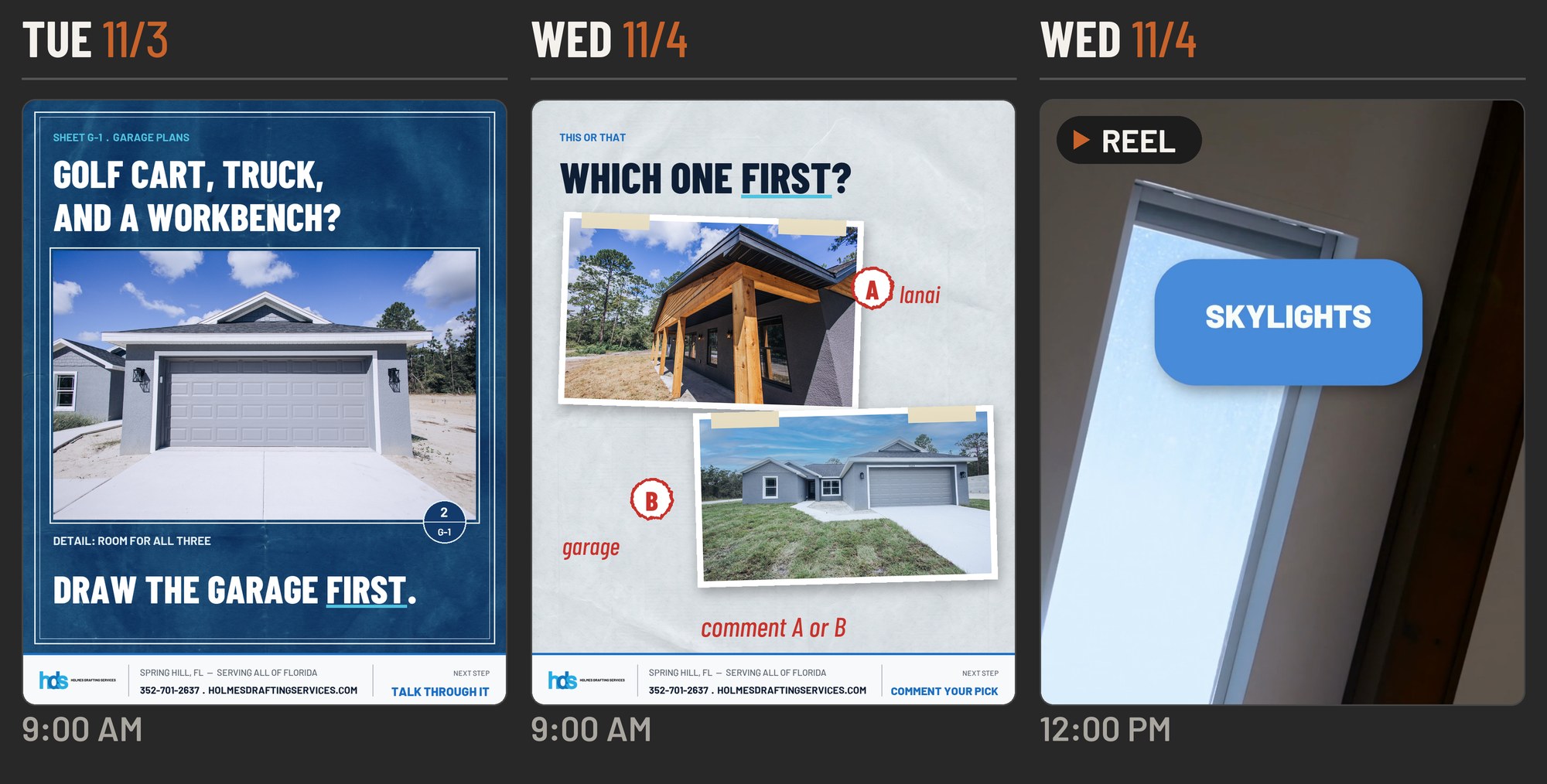
Tuesday. One homeowner, one problem: “Golf cart, truck, and a workbench? Draw the garage first.” This graphic was built to double as an ad, so the headline had to work for a stranger scrolling past, not only for people who already follow the page. Wednesday. A this-or-that post, a new lanai or a bigger garage, comment A or B. Its only job is to get people talking. The noon Reel that day covered Florida’s tighter energy code: skylights, attic hatches and insulation details.
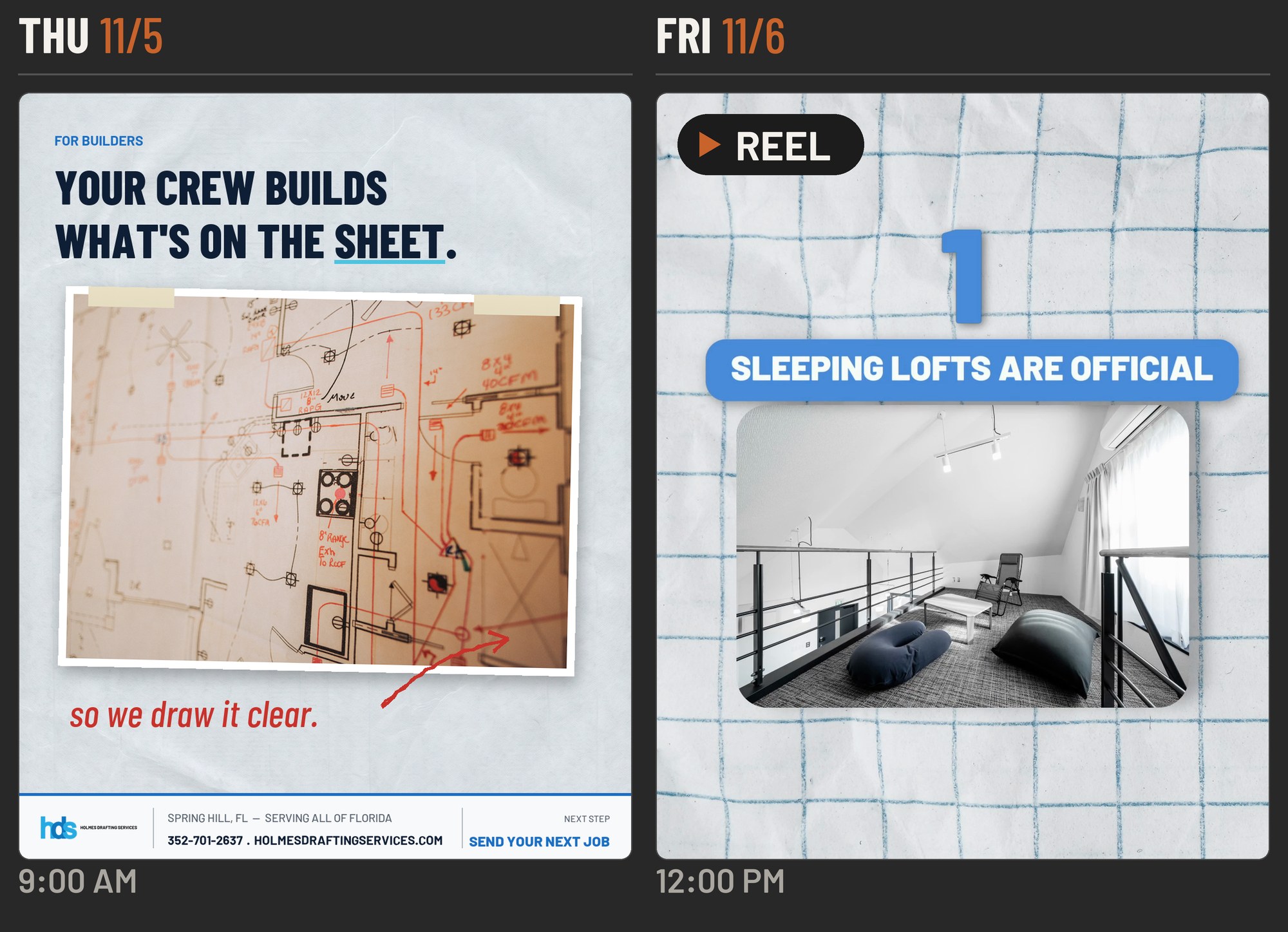
Thursday. A different customer entirely. “Builders: your crew builds what’s on the sheet” sits over a marked-up plan, written for the contractors who send the office work, not for homeowners. Friday. The noon Reel walked through five small changes in Florida’s 2026 code that show up in real houses: sleeping lofts, porch steps, accessibility updates, door water ratings and fences.
Every graphic: photos picked, a headline, a caption written for that post’s audience, a layout in the company’s colors with its real logo, and a 9:00 time slot.
Every Reel: a script on one code change, a voiceover, on-screen titles over a vertical edit, a caption, and a noon slot in a queue that ran every Monday, Wednesday and Friday.
After it posts: a scheduled post can’t carry a first comment, so the posting schedule calls for the website link to go into the first comment by hand once a post is live.
The rhythm: what each weekday gets comes from the November plan. Monday a build or transformation post, Tuesday one homeowner project, Wednesday a post that asks for comments, Thursday builders, Friday a spotlight. Starting this week, the plan adds a weekly look at how each post did. More on the video side on our Reels and short-form video page.
Want to see what your own week would look like? Book a free call and we will sketch it with you.
Posting is the easy part. Doing it every week, busy or not, is the job.
Seven posts in one week on one page, and every one needed a plan, a caption and a set time.
Mostly yes: keep going, you don’t need us for this. Two or more no’s: that’s what handing it off covers. The line under each question is what a no means.
If no: the gap is the problem, not the posts. A set rhythm with fixed days fixes the gaps.
If no: the first job is getting photos, before anyone writes a caption.
If no: a nice photo with no service and no town named does little for someone who just found you.
If no: one message for everyone usually lands with no one. Give each kind of customer its own day.
If no: nobody is watching what works, and next month gets planned on a hunch.
If no: fix this first, whoever runs it. Our Facebook page setup page walks through it.
Each weekday gets a job, from build-progress posts to posts for builders, and you see the whole month before anything goes out.
Your trucks, your crew, your finished work. Pictures from your phone count.
Every caption names the service and the area, so a stranger knows what you do and where within a second.
One consistent look across the month, so your posts read as yours before anyone sees the name.
They go out on the days in the plan, including the weeks you never open Facebook. Need the Reels made too? See Reels and short-form video.
Some graphics get built so the same piece can run as a paid ad. More on Facebook and Google ads.
Added by hand after each post goes live, so anyone ready to call can get to your site in one tap.
Reactions and shares for every post, checked on the same day each week, so next week’s slots get smarter.
The page stays in your own Facebook account. You add us through page access, and you can take that access back any time.
A weekly rhythm, a topic for every slot, and the dates they go out. You change what you want before it’s locked.
We write, design and schedule them. You keep snapping photos on the job and send them over when you have them.
We look at what each post did and shift the coming week’s slots toward what your customers actually respond to.
Bring your page to a free 30-minute call with Josh, who runs ApeShot, and he'll tell you straight which one fits. What it costs depends on how many posts and Reels your week needs, and he'll go over that on the call.